Choosing the right desk table and chairs determines whether your home office supports productive work or becomes a source of daily discomfort. The relationship between desk height, chair adjustability, and your working posture affects everything from shoulder tension to long-term spinal health. For New Zealand homeowners setting up dedicated workspaces or repurposing dining areas, the decision extends beyond aesthetics to include material durability, construction quality, and how each piece fits the demands of daily use. This guide covers the practical considerations that matter when selecting and arranging desk table and chairs for home offices, spare rooms, and multi-purpose spaces.
Understanding Desk and Chair Ergonomics
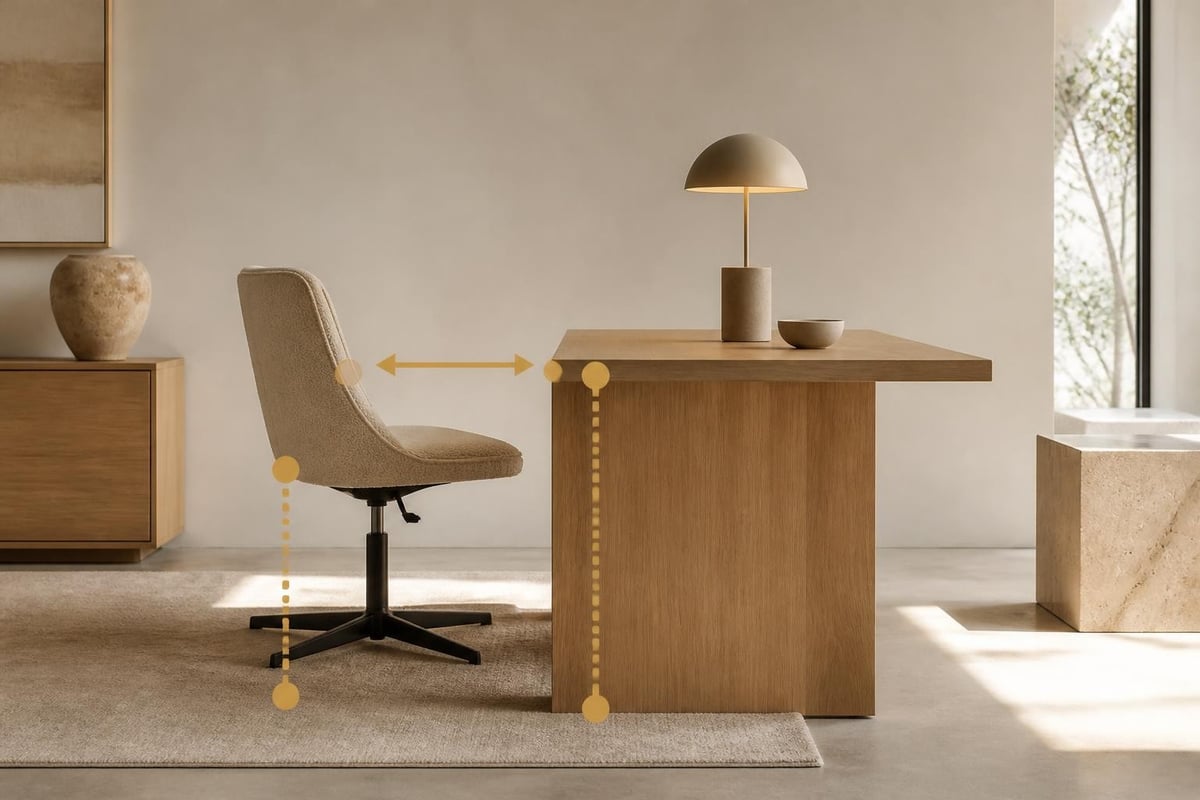
The ergonomic relationship between your desk table and chairs starts with three measurements: desk height, seat height, and the distance between them. Standard desk height sits at 72–76cm, while adjustable chairs typically range from 40–53cm at the seat. Cornell University Ergonomics Web recommends your forearms remain parallel to the floor when typing, with wrists in a neutral position and shoulders relaxed.
A systematic review of sitting and working furniture research found significant mismatches between desk and chair dimensions across common home office setups. The issue compounds when users select pieces separately without testing them together. Your elbows should form a 90-degree angle when your hands rest on the desk surface, and your feet should sit flat on the floor or a footrest.
Fixed Versus Adjustable Height Options
Fixed-height desks lock you into one working position, which works only if the desk height matches your body proportions and chair range. Most adults find standard 74cm desks comfortable when paired with a chair adjustable between 43–50cm. Taller users above 185cm often need higher desks or lower chairs to avoid hunching, while shorter users below 165cm may require footrests or shallower desk depths.
Adjustable-height desks offer more flexibility but add mechanical complexity and cost. Electric sit-stand desks range from 62cm sitting height to 125cm standing, accommodating multiple users and posture changes throughout the day. Manual crank systems cost less but see lower usage rates because adjustment requires effort.
Material Durability for Daily Desk Use
Desk surfaces endure constant contact with laptops, papers, coffee cups, and forearms. Solid timber desks develop character over time but need protection from water rings and scratches. Veneered MDF or plywood provides a stable, affordable surface less prone to warping than solid boards, though edges and corners remain vulnerable to impact damage.
Laminate and melamine surfaces resist moisture and heat better than timber but show wear at seams and edges after several years. Stone-look composite materials combine durability with visual weight, though they add cost and require sturdy frames to support the mass. For households with children doing homework or creative work involving paint and glue, wipe-clean surfaces save daily maintenance.
Chair Construction and Support Systems
The chair matters more than the desk for long-term comfort. Inadequate lumbar support, shallow seat depth, or poorly designed armrests create cumulative strain that compounds over months of daily use. A well-constructed office chair uses a combination of materials and mechanisms to distribute body weight and support movement.
Frame and Base Stability
Five-star bases in aluminium or steel provide the most stable platform for swivel office chairs. Plastic bases work for lighter users but flex under heavier loads or aggressive reclining. Wheeled castors suit hard floors and allow repositioning without lifting the chair, while glides protect timber or tile from scratches at the cost of mobility.
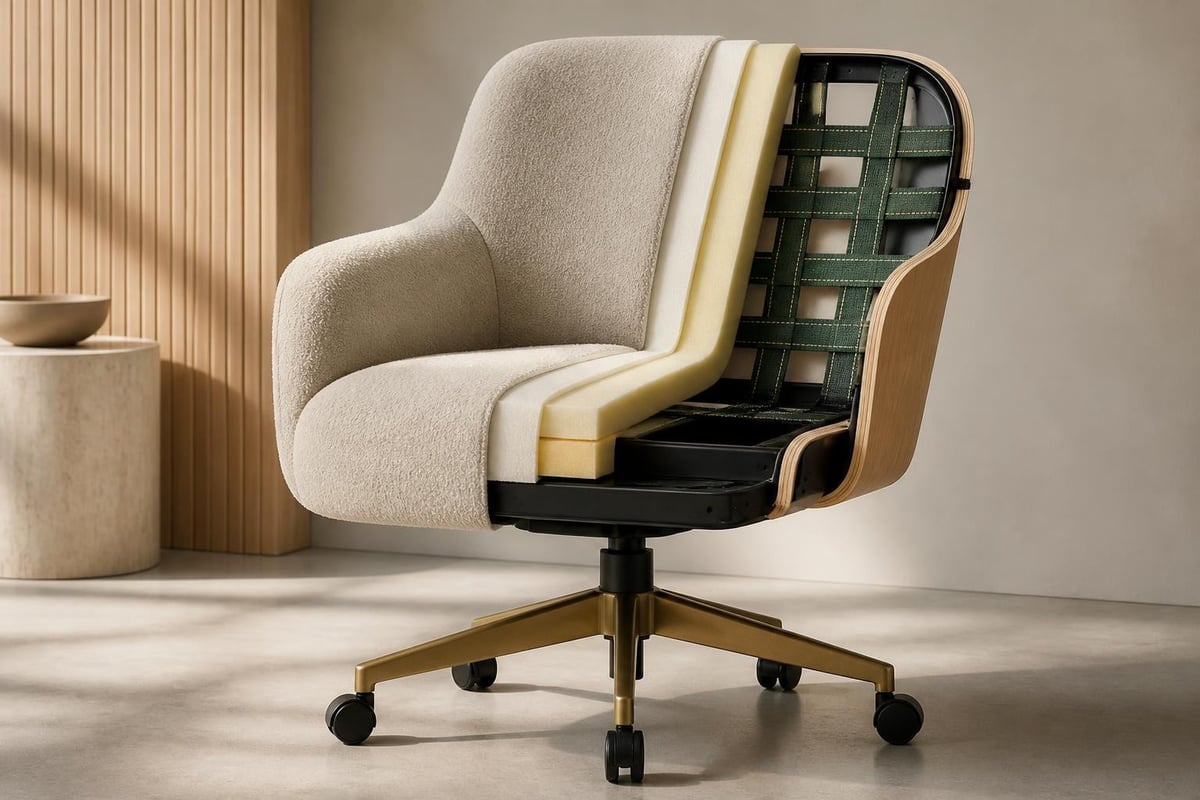
- Steel frames welded or bolted into the seat pan handle dynamic loads better than plastic shell chairs
- Timber dining chairs adapted for desk use lack swivel and height adjustment but bring visual warmth to home offices
- Webbed seats using elastic or rubber webbing flex with body movement and distribute pressure more evenly than solid platforms
Fixed-leg dining chairs work at desks when the seat height and desk height align, but they sacrifice the micro-adjustments that reduce fatigue during extended work sessions. The Verge Desk pairs naturally with dining chairs that offer cushioned seats and supportive backs.
Cushioning Layers and Cover Materials
Seat cushions combine foam density with upholstery choice to balance comfort and longevity. High-density polyurethane foam (35kg/m³ or higher) holds its shape for years, while lower-density foam compresses faster and bottoms out under daily use. Some chairs add memory foam or gel layers for initial softness, though these materials retain heat during long sitting sessions.
Fabric covers breathe better than leather or vinyl, reducing sweat buildup during warm months. Eco leather and PU leather wipe clean easily, ideal for shared home offices or rooms where food and drink appear regularly. Mesh backrests promote airflow but offer less cushioning, which some users find too firm for all-day sitting.
| Material | Durability | Breathability | Maintenance |
|---|---|---|---|
| Fabric (polyester blend) | 3–5 years moderate use | High | Vacuum weekly, spot clean spills |
| Eco leather / PU | 4–6 years | Low | Wipe with damp cloth, condition quarterly |
| Mesh (polyester) | 5–7 years | Very high | Vacuum monthly, no liquid cleaners |
| Genuine leather | 8–12 years | Medium | Condition every 6 months, avoid direct sun |
Desk Dimensions and Workspace Layout
Desk size determines how much work surface you have for monitors, documents, and task lighting. Too small and you feel cramped, too large and the desk dominates the room without adding functional value. Most single-user home office desks range from 120–150cm wide and 60–75cm deep.
Surface Area for Equipment and Tasks
A 120cm-wide desk accommodates a laptop or single monitor, keyboard, mouse, and a notepad with little room to spare. Dual-monitor setups or desktop computers need 140–160cm to avoid crowding, while creative work involving large drawings or samples benefits from 180cm or more. Depth matters for monitor distance; screens should sit 50–70cm from your eyes to reduce strain, which requires at least 60cm of desk depth after accounting for keyboard placement.
Corner desks and L-shaped configurations multiply usable surface without increasing the desk footprint as much as a straight 180cm desk. They suit rooms where wall space wraps around a corner, though cable management becomes more complex with equipment spread across two planes.
Desk Height and Leg Clearance
Standard 74cm desk height works for average-height adults but creates problems at the extremes. Desks with fixed-height frames lock you in, while desks with adjustable feet allow levelling on uneven floors but rarely offer enough range to change working height significantly. Under-desk clearance needs to accommodate your thighs (typically 15–20cm) plus the chair arms if they slide under the desk.
Floating desks mounted to walls save floor space and simplify cleaning but require wall studs or blocking to support the cantilevered weight. Freestanding desks with four legs or trestle bases distribute weight to the floor and relocate more easily when room layouts change.
Pairing Desks with Dining Chairs
Many homeowners use dining chairs at desks to maintain visual consistency across open-plan living areas. This works when seat height and desk height align, though dining chairs typically lack the adjustability and lumbar support of dedicated office chairs. Cushioned seats help during longer work sessions, while wipe-clean upholstery suits multi-purpose rooms.
The Miso Chair in coffee bean ash brings a timber frame and eco leather seat to desk setups, combining the clean lines of a dining chair with a cushioned surface that handles daily use. Pair it with a fixed-height desk at standard 74cm for a cohesive look in rooms where the desk doubles as a writing table outside work hours.
Selecting Chairs for Prolonged Sitting
Chairs designed for dining tolerate an hour or two at most before comfort degrades. Dedicated task chairs support 4–8 hour workdays with features that dining chairs omit: adjustable lumbar support, seat depth adjustment, and reclining mechanisms that allow position changes without leaving the chair.
Lumbar Support Mechanisms
Lower back pain stems from prolonged sitting in a C-shaped spine position that strains the lumbar discs. Proper lumbar support pushes the lower back into a gentle inward curve, maintaining the spine's natural S-shape. Fixed lumbar pads suit users within a narrow height range, while adjustable lumbar support (height and depth) accommodates different torso lengths and sitting preferences.
Some chairs use a mesh backrest tensioned to flex with your spine, providing dynamic support that shifts as you move. Others build a contoured foam pad into the backrest, offering more cushioning but less adaptability. Test both types by sitting for at least 15 minutes; initial comfort often differs from sustained comfort over hours.
Armrest Adjustability and Positioning
Armrests reduce shoulder and neck tension by supporting the weight of your arms, but poorly positioned armrests cause more harm than none at all. Adjustable-height armrests should allow your shoulders to relax with elbows at 90 degrees, forearms resting lightly on the pads. Width-adjustable armrests suit broader or narrower torsos, while pivot and slide adjustments help when typing or using a mouse.
Armrests that don't retract or slide under the desk prevent you from pulling close to the work surface, forcing you to reach forward and hunch. If your desk has a keyboard tray, ensure armrests clear the desk edge when the chair rolls in.
Arranging Desk Table and Chairs in Home Offices
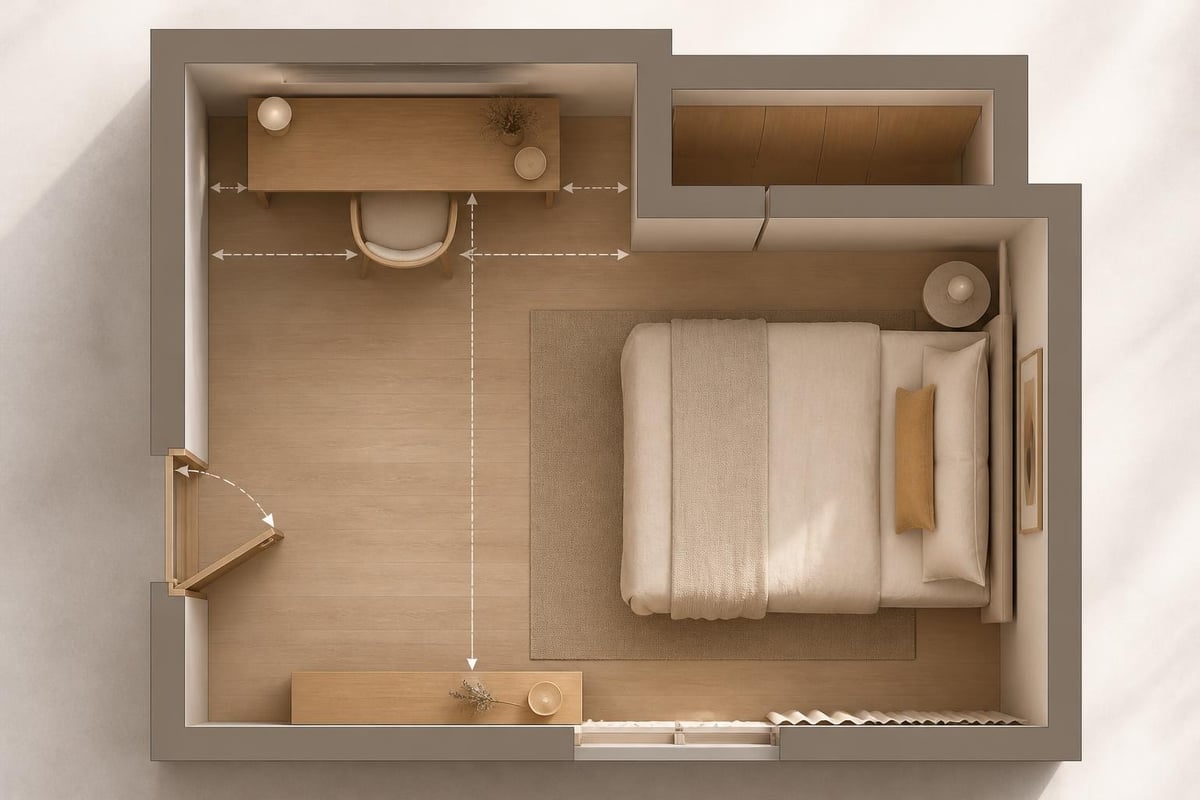
The physical placement of your desk table and chairs within the room affects lighting, distraction levels, and how the space functions for video calls and focused work. Window position, door location, and power outlet placement all constrain where furniture can sit.
Natural Light and Screen Glare
Positioning your desk perpendicular to windows allows natural light to enter from the side, reducing glare on screens while maintaining ambient brightness. Facing a window creates backlight that makes your face dark on video calls, while sitting with your back to a window puts glare directly on your monitor. If the desk must face or back onto a window, add adjustable blinds or sheer curtains to control brightness throughout the day.
Corner placement away from windows suits rooms with strong afternoon sun or limited wall space, though you'll need task lighting for overcast days and evening work. Desk lamps with adjustable arms direct light onto documents and keyboards without reflecting off screens.
Desk Orientation for Video Calls
Camera placement for video calls now influences desk layout. Laptops on the desk surface position the camera too low, creating an unflattering upward angle. Monitor risers, laptop stands, or external webcams mounted at eye level improve framing, though they consume desk space and require cable management.
Background considerations matter more in home offices than corporate settings because personal items, shelving, and room decor appear on camera. Positioning the desk so a plain wall, bookshelf, or the contemporary furniture pieces from the rest of your home appear behind you provides a cleaner background than facing into a cluttered room or window with variable outdoor light.
Multi-Purpose Rooms and Flexible Desk Setups
Spare bedrooms, living room alcoves, and dining areas pressed into service as home offices need furniture that adapts to shifting uses. A desk that functions well for work must also accommodate hobbies, children's homework, or occasional dining without dominating the room.
Compact Desk Solutions for Small Spaces
Wall-mounted fold-down desks save floor space in tight rooms but limit surface area and stability. They suit light laptop work and occasional tasks rather than full-time office setups with multiple monitors and peripherals. Narrow console-style desks (40–50cm deep) fit against walls without protruding far into the room, though they sacrifice workspace and force careful equipment arrangement.
Secretary desks with fold-down fronts hide work clutter behind closed panels when not in use, blending with living room furniture more naturally than open desks. The trade-off comes in setup time; you unpack and pack the desk each session, which discourages quick tasks and email checks.
Dual-Use Dining and Work Tables
Dining tables repurposed as desks offer generous surface area and often match existing room furniture, but standard dining height (75–76cm) sits slightly higher than ideal desk height. This works for shorter sessions or when paired with higher chair positions, though extended typing may elevate shoulders and cause strain.
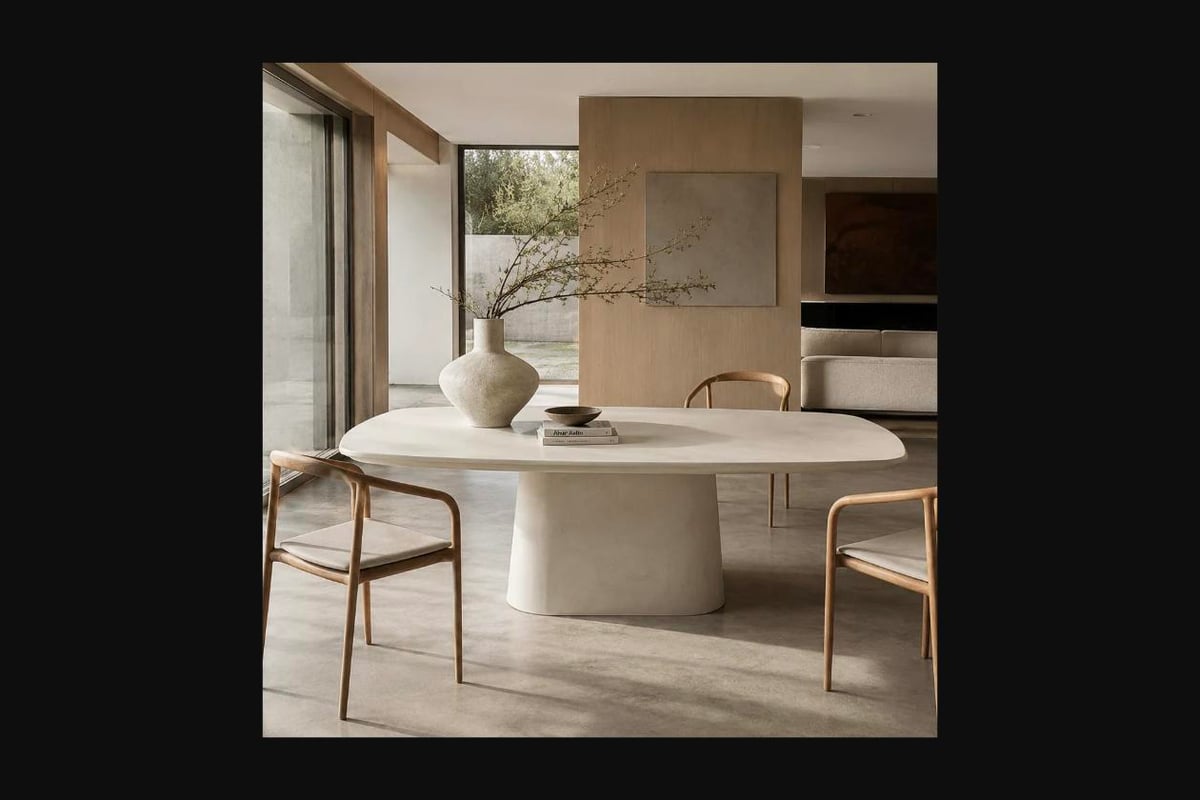
For advice on pairing dining tables with appropriate seating, the guide on dining table and dining chair selection covers proportions and material combinations that work across multiple uses. Protecting table surfaces from laptop heat and scratches requires desk mats or felt pads, especially on timber or stone tables where damage accumulates over months.
Material Combinations and Visual Cohesion
Desk table and chairs rarely come as matched sets in contemporary interiors. Mixing materials and finishes creates visual interest while allowing you to prioritise durability where it matters most. Timber desks pair naturally with upholstered chairs, while metal-frame desks suit both timber and metal chairs depending on the overall room palette.
Timber Desks and Upholstered Chairs
Solid timber or veneered desks bring warmth to home offices, especially in rooms with white walls and minimal architectural detail. Oak, ash, and walnut vary in grain pattern and tone; lighter timbers like ash keep small rooms feeling open, while darker walnut adds visual weight and richness. Pair timber desks with upholstered chairs in neutral fabrics (grey, charcoal, beige) to avoid competing patterns.
Oiled timber finishes require periodic reapplication but allow easy repair of scratches and water marks. Lacquered finishes resist damage better but show wear at edges and corners, where clear coating chips away over time.
Metal and Composite Surfaces
Steel-frame desks powder-coated in matte black or white create clean, minimal lines that suit contemporary interiors. They pair well with both metal-frame office chairs and timber dining chairs, offering flexibility in how formal or relaxed the workspace appears. Composite stone-look surfaces add textural contrast against metal frames, though the combination skews modern rather than warm.
Laminate desktops in solid colours or timber-look prints offer budget-friendly durability with quick wipe-down maintenance. Edge banding in matching laminate or contrasting black/white frames the desktop and protects vulnerable corners from impact.
Bar Stools and Standing Desk Pairings
Standing desks require taller seating for perching during transition periods between sitting and standing. Bar stools at 65–75cm seat height match desks raised to 100–110cm, allowing a semi-seated posture that reduces leg fatigue without reverting to full sitting.
Footrests and Perching Posture
Bar stools for desk use need footrests positioned 25–30cm below the seat to support legs without dangling. Backless stools encourage movement and core engagement but become uncomfortable after 20–30 minutes, while stools with low backs or lumbar pads extend usable sitting time. Swivel bases allow repositioning without standing, useful when reaching for items or turning to face different parts of the room.
The Raphael Bar Stool in smoked ash offers a curved backrest and cushioned eco leather seat at 65cm height, designed for kitchen islands but equally suited to standing desks used in perch mode. The solid timber frame and considered foot rail support real sitting rather than brief perching, while the wipe-clean eco leather handles daily contact without fabric maintenance.
Alternating Sitting and Standing Throughout the Day
Research on sit-stand desk benefits shows mixed results, with some studies finding reduced discomfort and others showing no significant health improvements over sitting alone. The key appears to be movement frequency rather than total standing time. Alternating positions every 30–45 minutes prevents the fatigue of prolonged standing while breaking up extended sitting sessions.
If using a bar stool with a standing desk, adjust the desk to a height where your forearms remain parallel to the floor when seated on the stool. This typically puts the desk at 95–105cm, lower than full standing height but higher than standard sitting height, creating an intermediate posture.
Cable Management and Power Access
Desk table and chairs create a workspace, but power cables, charging leads, and peripheral connections determine whether the setup functions smoothly or becomes a tangle of cords. Planning cable routes during furniture placement prevents problems later.
Routing Cables for Clean Desk Surfaces
Desks with built-in cable grommets or cutouts allow monitor cables, laptop chargers, and desk lamp cords to drop through the surface to concealed trays or channels underneath. Without grommets, cables snake across the desk surface or hang off the back edge, creating visual clutter and catching on items moved across the desk.
Adhesive cable clips or under-desk trays corral loose cables and keep them accessible for repositioning equipment. Velcro cable ties bundle multiple cords together, reducing the tangle while allowing individual cables to be added or removed as devices change.
Power Strip Placement and Surge Protection
Mounting a power strip to the underside of the desk using adhesive pads or screws keeps outlets within reach without occupying desk surface area. Choose strips with widely spaced sockets to accommodate bulky power adapters, and prioritise surge protection for computers and monitors.
Trailing cables to wall outlets located far from the desk create trip hazards and limit furniture placement. If power outlets sit in inconvenient locations, extension leads with flat plugs that sit flush against skirting boards reduce bulk and allow furniture to sit closer to walls.
Testing Before Committing to Desk and Chair Pairings
Showroom visits allow you to sit in chairs at actual desks, testing the ergonomic relationship before purchasing. Online research narrows options, but your body's response to seat cushioning, backrest angle, and desk height only becomes clear after 15–20 minutes of sitting.
What to Assess During Showroom Testing
Bring a laptop or tablet to simulate typing posture and screen viewing angles. Sit in the chair at a desk similar in height to what you plan to use at home, checking whether your forearms rest comfortably without raising or dropping your shoulders. Lean back in the chair and adjust any available controls (lumbar support, seat depth, armrests) to find the optimal position, then note whether those settings feel sustainable after ten minutes.
Pay attention to pressure points: the seat front edge against the backs of your knees, the backrest against your shoulder blades, and armrest contact with your elbows. Discomfort during brief testing amplifies over hours of daily use.
Measuring Your Existing Setup First
Before visiting showrooms, measure your current desk height, chair seat height at your preferred setting, and the distance from seat to desktop. Note any discomfort points (neck strain, lower back pain, shoulder tension) and consider how furniture dimensions might contribute. Architectural Digest's coverage of workspace design offers layout examples and proportion guidelines that translate showroom furniture into real home office contexts.
If buying separately rather than as a set, confirm that chair arms retract or slide under the desk edge, and that overall chair height adjustment range allows your feet to rest flat while maintaining the correct desk relationship. Chairs with taller backs suit taller users but may not fit under desks with low privacy panels or hutches.
Selecting desk table and chairs that support daily work without causing discomfort requires attention to ergonomic proportions, material quality, and how each piece fits your specific body and workspace. When you're ready to see timber frames, cushioned seats, and quality construction in person, visit Bauhaus in Auckland to test chairs at working desks and discuss how different materials and configurations suit your home office needs.
Disclaimer: AI-supported images may differ from products on website.